What is Fidget Spinna?
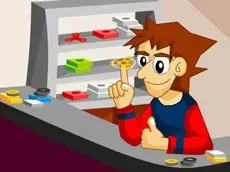
Fidget Spinna is a digital simulator where players can customize and spin a virtual fidget spinner to achieve high speeds.

Launch instantly in your browser and start playing in seconds.

Loading... Please, wait

Relive the viral sensation with Fidget Spinna, a game that lets you craft and control your own high-speed spinning toy. Whether you missed the original mania or just want a relaxing way to pass the time, this simulator offers a satisfying experience. Customize your spinner to match your style and focus on mastering the physics of a perfect spin. Challenge yourself to reach maximum velocity and prove you are a real master of this iconic toy.
The game focuses on simple, addictive mechanics. By clicking and dragging, you can build up momentum, watching as the bearings work their magic. Fidget Spinna is perfect for short breaks, providing a tactile-feeling digital experience without needing the physical toy in your pocket. Compete with friends to see who can maintain the longest spin or reach the highest RPM in this ultimate fidget spinner challenge.
Fidget Spinna is a digital simulator where players can customize and spin a virtual fidget spinner to achieve high speeds.
Yes, Fidget Spinna is completely free to play in your web browser on PacoGames.
Fidget Spinna is a web-based game accessible from most browsers, which may allow it to be played in various locations depending on local network settings.
Simply use your mouse to click and drag in a circular or flicking motion to start the rotation.