Can I play Desert Rifle 2 for free?
Yes, Desert Rifle 2 is completely free to play in your web browser on PacoGames.

Launch instantly in your browser and start playing in seconds.

Loading... Please, wait
 = Aim and shoot
QE = Switch weapons
R = Reload
1...7 = Explode mines
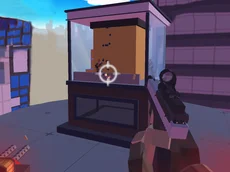
SPACE = Optical sight
X = Grenades (M4 and XM rifles only)
M = Switch fire mode
P = Pause game
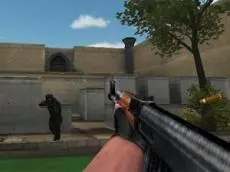
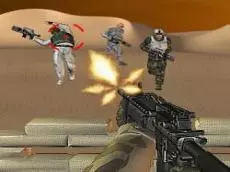
Desert Rifle 2 takes the intensity of the original desert rifle game to the next level. As a lone defender stationed in a hostile wasteland, you must hold your ground against increasingly difficult waves of enemy infantry and specialized units. This action-packed shooting game challenges your accuracy and tactical thinking as you manage limited resources to keep your territory secure.
In this installment, the stakes are higher and the arsenal is broader. You aren't just pulling a trigger; you are managing a defensive perimeter. From choosing the right rifle for the job to timing your reloads between enemy charges, every decision determines whether you survive another day in the sand.
Success in Desert Rifle 2 requires more than just fast reflexes. Between missions, you can visit the shop to upgrade your equipment. Invest in better firearms, increase your magazine capacity, or purchase landmines to create deadly traps for approaching foes. Strategic use of the optical sight and fire modes will allow you to pick off distant targets or suppress close-range threats effectively.
Yes, Desert Rifle 2 is completely free to play in your web browser on PacoGames.
After completing a wave, you can use the money earned from eliminated enemies to buy new rifles, attachments, and explosives in the shop.
Yes, certain selective-fire rifles allow you to switch fire modes by pressing the M key, helping you conserve ammo or increase fire rate.
If you are playing from a restricted network, you can usually access Desert Rifle 2 unblocked through standard web portals that host HTML5 games.
Grenades are available for specific weapons like the M4 and XM rifles; you can launch them by pressing the X key.